



Forum Replies Created
-
AuthorPosts
-
Hello Alejandro,
Yes, some mail softwares (gmail notably) will not be fooled by the extension trick.
Please use AxCrypt to encrypt it, and then key share it with ‘support@axcrypt.net’ and then send the encrypted file.
Or, upload it to dropbox, Google Drive or similar and then share it with ‘support@axcrypt.net’.
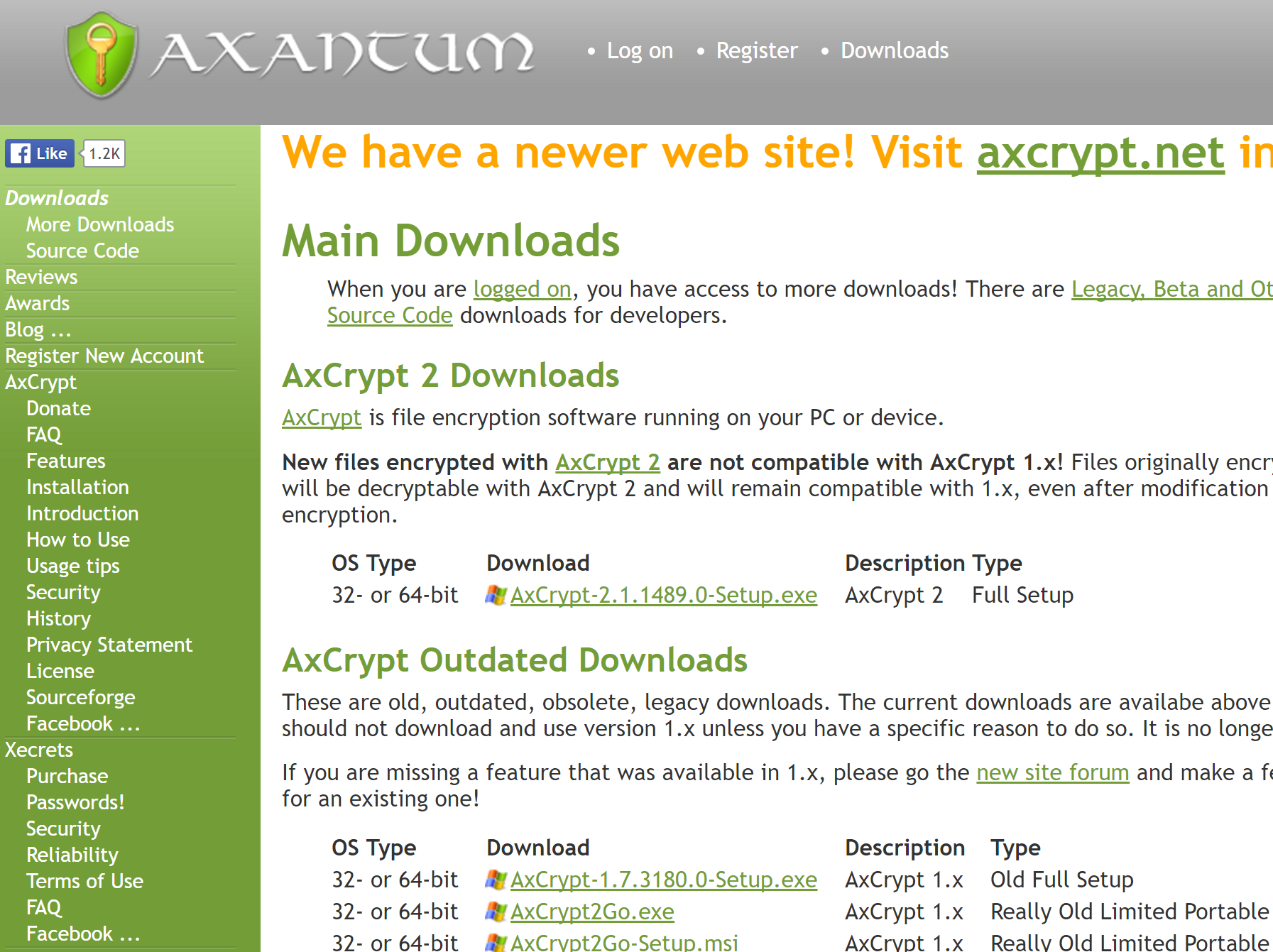
Also, that website… That does *not* look like http://www.axantum.com/ . This is what it looks like:
Hi Cyril,
Thanks for the links.
The first paper, https://software.imdea.org/~juanca/papers/malsign_ccs15.pdf does not actually say anything about Authenticode signatures being weak or possible to manipulate. It says that computer system implementers (i.e. Microsoft), are not using it properly, not detecting situations that Authenticode indicates – in this case revoked certificates.
I should of course also point out that Authenticode as such, does not say *anything* about the code, if it’s good, if it’s bad or if it’s ugly. It only strongly identifies the publisher, and make a strong statement that what you’re getting is what the publisher intended. If the publisher intends to publish malware, that can of course be signed. If this does happen, the idea with Authenticode is that you should then at least know who to sue or report to the police.
The second paper is interesting, and actually does to a certain extent demonstrate a weakness in the Authenticode implementation – they show they can *add* (not modify) arbitrary content while maintaining a valid signature. However, I’m actually at a loss to understand what they could *do* with this data, which the paper points out. Then it goes on to demonstrate an in-memory PE loader, which is also interesting – but to be honest, I don’t see how the one connects to the other. You still need to get that PE loader running. I guess you could write a software, include the PE loader, sign it – and then after that add the ‘payload’ as described but I don’t see the threat yet here. Then again – attacks never get worse, they only get better.
Thanks for two interesting reads! I don’t think it reduces trust in Authenticode as a signing mechanism from a known publisher (AxCrypt AB in this case) though.
We could certainly publish hashes of our executables, it doesn’t harm anything. I’m making a note of it, but since we don’t want any manual processes for stuff like that, we’ll need to add a few things to our platform so we can publish them automatically.
I still really, really want to get my hands on a sample of the file that seems to be signed January 5 and sort out what that is about. Probably its nothing, but we want to investigate.
Hello Marianne (and anyone else seeing a download signed on January 5),
I can’t find AxCrypt 2 on Tucows at all. I only find a completely outdated version 1.5.
Can anyone who has the installer dated January 5, please either send a copy to support@axcrypt.net, or post a download link here so we can examine the file?
Hello,
Can you please send the actual setup file with the January 5 timestamp to me at support@axcrypt.net ? You may need to copy it to a new name, and change the .exe-extension (I usually add “.removeme” for example), as email software often blocks .exe files.
Hello Jacques,
Yes – that is currently correct. To share keys you need to have Premium. To receive and open files that a Premium user has shared keys for with you will work fine with the Free version.
Hello,
First, yes – my bad. Microsoft has chosen NOT to respect the signature.
Secondly – I’m confused. Adam – what was the name of the executable that triggered the first “Windows protected your PC” message. You wrote that it popped up when you tried to open an old file, so I was under the assumption that this happened when you tried to use the new version 2.1 AxCrypt. If, in fact, this was a self-decrypting file i.e. something like “My File-ext.exe” – then it’s entirely possible that the warning comes up. But I still don’t see why you don’t get an option to run anyway.
Now, you write “I don’t trust Authenticode because it’s too easily tampered with“. Really? This is not true at all. Authenticode is a strong digital signature, with quite adequate cryptographic strength. Can you provide a reference to indicate that Authenticode is vulnerable?
Finally, you refer to “a version on the internet” and send a screen shot with what appears to be a digitally signed “AxCrypt-2.1.1489-Setup.exe” but with a timestamp of January 5, 2017 – and that is indeed wrong.
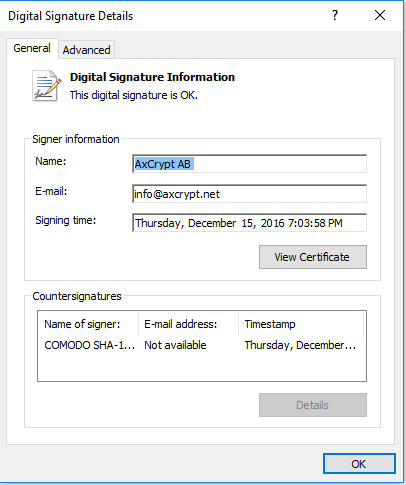
Can you check the validity of this signature using the ‘Details’ button please and send a screen shot. Also, I’d very much like a copy of that file as well a link to the source of it.
The correct current setup shows the following under ‘Details’:
Chris,
Harry is entirely right. Thanks!
Hello Adam,
That’s strange. Windows sometimes displays that message, when we released a new version but we quickly get the reputation needed to avoid. Unfortunately Microsoft has chosen to respect the fact that we’re digitally signed with a proper certificate.
You should be able to run it anyway, under More Info. See here: http://www.howtogeek.com/123938/htg-explains-how-the-smartscreen-filter-works-in-windows-8/ . Do you have a screen shot of the “More Info” screen?
Also, ensure that you downloaded the most recent version of AxCrypt from https://forum.axcrypt.net/ and that the digital signature is correct by checking file properties after download, and select “Digital Signatures”.
Hello Cees!
Thanks for the feedback, it’s high on the prio list… You can monitor progress here: https://bitbucket.org/axantum/axcrypt-net/issues/191/add-option-for-recursive-operation .
Hello Claudio,
When you open an AxCrypt 1 file with AxCrypt 2, it gets re-encrypted with your new AxCrypt ID password, i.e. the password you set when you created the account.
If you previously shared these files with others, you should upgrade them all to the new AxCrypt 2 software – and then add these account emails to the list of recipient key shares.
AxCrypt 2 has a more sophisticated way to share encrypted files with other. You do not need to share any passwords any more, and every one uses their own one password to AxCrypt.
Instead of using different passwords for different sharing groups of persons, you add the email addresses of the persons you want to share the access to the file with using the key sharing feature.
Hello gregg,
Can you send a screenshot of the situation? It’s not entirely clear what’s not working as it should here.
AxCrypt has two tabs “Recent Files” and “Secured Folders”, maybe you mean “Recent Files” when you write “secured file”?
Thanks James, exactly so.
January 15, 2017 at 13:36 in reply to: How secure axcrypt deal with temporary file when decrypt a large encrypted file? #5219Hi Allen,
AxCrypt stores it’s temporary and working files in “%localappdata%\AxCrypt\” and folders below .
Hello Štefan,
There seems to be something broken… It’s supposed to download properly, as long as you actually use the the link from the axantum site. Direct links should behave as you describe. However, when I try it now, it seems that it’s not working as intended.
We’ll have to investigate. It’s supposed to work, but we have previous reports of it intermittently not working as expected.
January 14, 2017 at 21:48 in reply to: How secure axcrypt deal with temporary file when decrypt a large encrypted file? #5213Hi Allen & Abraham,
Temporary files are always wiped / shredded (i.e. overwritten with random data) before deletion. This is the same for both Free and Premium users.
Please note that modern SSD devices often have a feature called “wear levelling”, which causes such wiping to be less secure than it might seem. With the proper software, it’s often possible to recover data that logically is overwritten (but in actual physical fact is not). It’s not trivial, and it can’t be done with regular file recover tools. It needs special software that interacts directly with the SSD device, but the point is that it’s possible.
-
AuthorPosts