


Что делать если забыл пароль от зашифрованного файла????
Что делать если забыл пароль от зашифрованного файла????
Actions
Reply6 replies

AxCrypt Support
AxCrypt Team
· 1,810 posts
Hello,
Please read the FAQ at http://www.axcrypt.net/support/faq/ .

Guest
Установил пробную версия вашей программы зашифровал фотографии свои для пробы.
Ввожу обратно для расшифровки, выдает что пароль не правильный.
Прошу вашего содействия.

Guest
Good day, I use the program for the first time. And it so happened that I saved the password from entering the file, which was used for encryption. What to do now?

Prabhukumar R
AxCrypt Team
· 1,165 posts
Hello Михаил,
Please avoid sending a same query in different mediums. You may get duplicate response.
AxCrypt is a file encryption software with AES 128 & 256 bits.
We have to sign in to AxCrypt app with the AxCrypt account credentials to encrypt your files.
Use the secure(+ plus) icon or File | Secure from the AxCrypt app and then choose the file(s) which you want to encrypt.
or
In windows explorer, Select the file(s) which you want to encrypt and right click on the selected files and choose the right click context menu option AxCrypt | Encrypt.
Please check out our video tutorials at https://www.youtube.com/channel/UCoSoXBjq6iCG5232fHoWStA and our other documentation at http://forum.axcrypt.net/information/get-started/ to get started with AxCrypt.

Guest
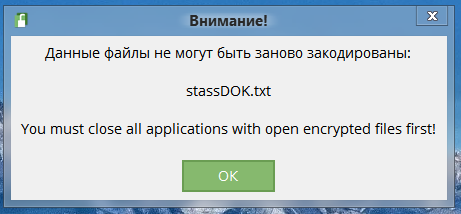 Hi, I forgot the password from my encrypted test file. ATTERMALLY I CANNOT OPEN IT OR CHANGE THE PASSWORD (
Prabhukumar R
AxCrypt Team
· 1,165 posts
Hello Igor,
I forgot the password from my encrypted test file. ATTERMALLY I CANNOT OPEN IT OR CHANGE THE PASSWORD ---- AxCrypt will allow the users to decrypt the encrypted file with the original password which is used for encryption.
If you think you almost know the password, we have simple software allowing you to try to find your password, and you can download the most recent version from https://account.axcrypt.net/Download/AxBruteForce.exe and read of how to use it at http://forum.axcrypt.net/axcrypt-brute-force/ . Please note that we cannot provide support beyond this.
Unfortunately, if you do not know the password for an AxCrypt-encrypted file you cannot open it, even if you can sign in to the account. This is by design, it's just this situation that AxCrypt is made for and it works like this even if you actually are the original owner of the file.
So please try to remember the file password(which was used in the encryption process) to decrypt/open the encrypted files.
If you do not remember the password to your account, you can always reset it. This is not a way to recover encrypted files! It's only to allow you to sign in to the AxCrypt app and web. The new password will be used to encrypt new files. Go to https://account.axcrypt.net/Home/PasswordReset to do this, or you can also go there from AxCrypt with File | Options | Password Reset.
For more info about Password Reset: https://www.youtube.com/watchv=O6whtjSb3pc and http://forum.axcrypt.net/blog/password-reset-axcrypt/
Still, you are facing any issue, please write a mail to support@axcrypt.net. We are happy to help you.