


I'm using version 1.7.3180.0 and I have a batch of files I encrypted years ago. I can open every file with my password, but this file keeps on giving a HMAC error. Looking in your FAQ I get referred to axcrypt.com, wich doesn't exist anymore... I read in another HMAC post I should be able to get Axcrypt into debug mode, but HOW?! Any help would be appreciated.
HMAC error, I'm sure I have the correct PW
Actions
Reply5 replies
Guest
Topic starter

AxCrypt Support
AxCrypt Team
· 1,810 posts
Hello Dingus,
The error indicates the file is damaged. You can try to decrypt it anyway, you'll find instructions at http://www.axantum.com/ where you can find a registry setting to enable it to try even with a broken file.
The version you are using is unsupported and unmaintained, but you will find information as mentioned above.
There should be no link to "axcrypt dot com" on any FAQ we have - can you give a URL to that page? (We've never actually had that domain).
Guest
Topic starter
Hello Svante, you are 100% right, I made a mistake!
------"There should be no link to “axcrypt dot com” on any FAQ we have – can you give a URL to that page?"-----
I meant [redacted] .
Now back to my problem;
[redacted] leads to a page where no support is located, it leads to the new site http://forum.axcrypt.net
On that site I am only able to locate the following:
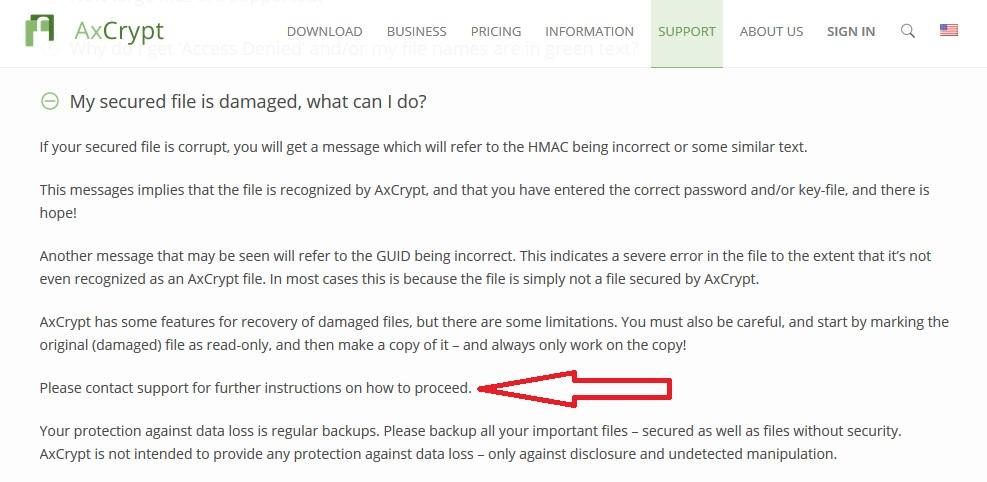
How do I proceed? I would greatly appreciate a link to the part on how to change the .reg setting so it will try to read the file. Thank you in advance!

Azhaguraja B
AxCrypt Team
· 110 posts
Hello Dingus,
You’ll find instructions at http://www.axantum.com/AxCrypt/LegacyRegistry.html to find a registry settings to enable it to try even with a broken file [as per svante explained in the last response].
You can also try to decrypt the damaged file with the AxCrypt 2.x app.
AxCrypt 2.x has a feature called Try Broken File. You can decrypt the corrupted/damaged AxCrypt encrypted files by navigating the menu Debug | Try Broken File from the AxCrypt app.
First we need to enable the Debug menu via the menu options File | Options | enable Debug from the AxCrypt app.
Navigate to the debug menu and click the Try Broken File menu option.
Now we will be prompted for file selection.
Select the corrupted/damaged encrypted file and then AxCrypt will try to decrypt the file. If successfully decrypted then you are able to see the decrypted file in the location. Otherwise AxCrypt unable to process(decrypt) the file.
Guest
Topic starter
@ Azhaguraja B, Thankyou! Changed the value to 1 and while it still gave the error, the file opened! Thank you both for your time!