


I have a 697 mb 7zip file that I can't access anymore. When I tried to open it with axcrypt, it tell that an error occur, inflating: Invalide stored block lengths.
Any help please?
Hello Pascal,
What version of AxCrypt was used to encrypt it?
Have you successfully opened it before?
Does it reside on external (USB) media?
Can you send a screen shot?
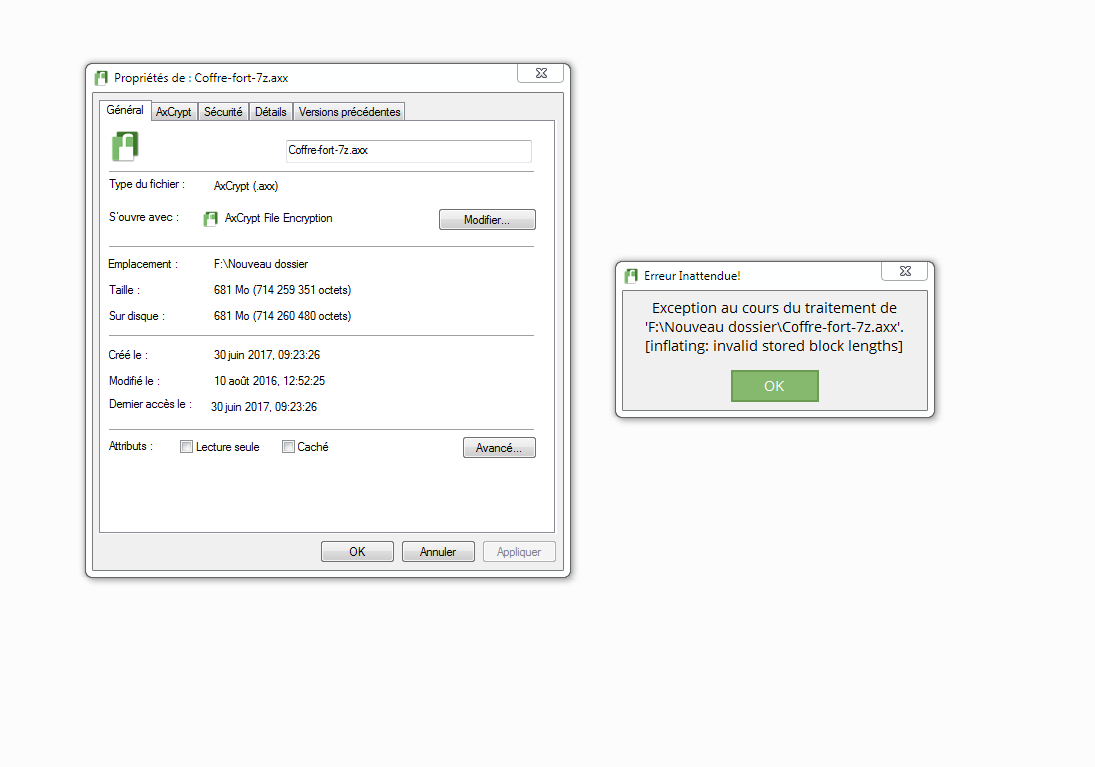 I've used an older version to encrypt it, can't remember the version.
Here's the screenshot of the error.
It was encrypt on my computer hdd then stored on a external drive and yes I've succefully accesed it before.
Now it is on my computer hdd and it keeps telling me this message.
Sorry for the delay !
Hello,
You might want to try and decrypt with an older version. You can download from http://www.axantum.com/ .
Hello Svante,
I've tried and I can't, the older version says that it was encrypted with the version 2.
Hello Pascal,
That would indicate that the file file has been damaged somehow, or there is a bug in the compression library. The latter seems very unlikely. Since the compression phase is entirely deterministic, it would mean that certain combinations of input data would always produce compressed data that would cause this problem. The library is used by us and by so many others, it's really unlikely (though of course nothing is impossible). My guess is the file has been damaged externally somehow, after the fact.
What we'd need to do is to verify the structure and checksum of the file. We don't actually have this function, because we've never really needed it! So, we'll have to implement this first before knowing exactly what has happened. See https://bitbucket.org/axantum/axcrypt-net/issues/297/add-feature-to-verify-file .
