Secure file encryption since 2001
Bugs & issues

Protected Folders not doing anything

14 replies 5 participants Started Active

Actions

Reply
Sarah Guest
Report spam

Hello,

I am attempting to encrypt a folder, which contains multiple subfolders, which have the files I want to encrypt within these subfolders. I have the 'Include Subfolders' option activated. The main folder appears in my Secured folders window. However, nothing appears to be happening. When I added this folder as a secure folder, there was no green loading bar or any other activity indicating encryption. Additionally, when I try to encrypt from the file explorer by right clicking the folder and selecting encrypt, nothing happens. None of the files within the subfolders are encrypted. When I log out of Axcrypt, or attempt to access the files from this folder on another computer (files are on a shared drive), the files are not encrypted and I am not prompted for a password to open the secured folder.

I am however, able to encrypt each subfolder within this folder, resulting in my files within them being encrypted. I will ultimately have over 300 of these subfolders and would like to be able to encrypt/decrypt them all with one action. Is this possible -- I thought that was what include subfolders was supposed to be doing?

14 replies
Sarah Guest Topic starter
Report spam

Hi Svante,

Thanks for your quick reply. As I mentioned previously, I actually do have the include subfolders option enabled in settings. There are two things I am wondering about potentially impacting performance:

1) I have a lot of data in these subfolders - Is there a maximum size limit that can be encrypted at a time?

2) Some of my subfolders also have subfolders - Is there a limit to how many subfolders deep encryption can occur?

Let me know if you have any other ideas about why this isn't working for me, or if you need any additional info.

Thanks!

AxCrypt Support AxCrypt Team
· 1,810 posts
Report spam

Hello Sarah,

Sorry, I did not read carefully enough.

There is no maximum as such, although performance may suffer with many files and folders. We are working on improving that.

I am not quite sure why it's not working for you. Do remember that we don't encrypt the files as they appear in the folder, you'll have to click the 'Broom' icon to clean. Perhaps you can try it out with just two or three folders with two or three files each just to understand and more clearly see what is happening / not happening?

taco de wijs Guest
Report spam

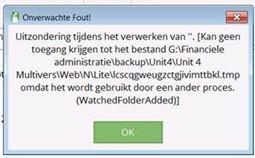
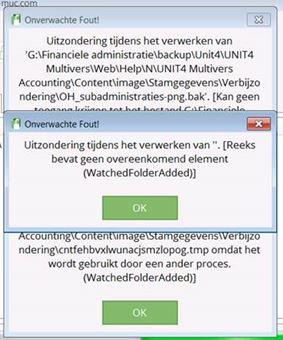
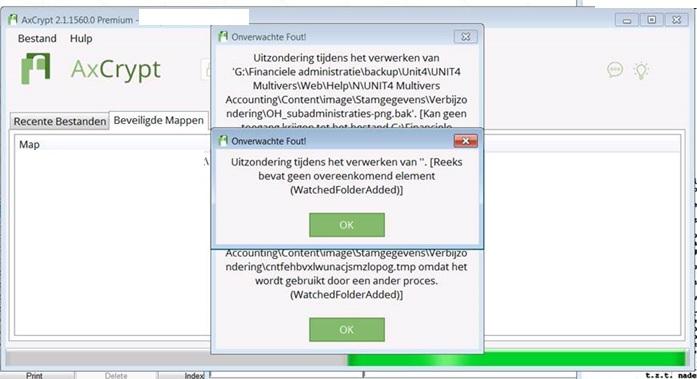
We have the same problem, broom function is greyed out, and sometimes the encryption process hangs on access permissions , and there is no resume.

software looks great and simple, but needs small improvement before i buy the premium.

Reply to this topic

Posting as a guest. Log in or sign up to get reply notifications and edit your posts.

Tip: describe your AxCrypt version, operating system and the exact error message. Never post your password or license key.