Secure file encryption since 2001
Bugs & issues

Behavior of secured folder

6 replies 4 participants Started Active

Actions

Reply
Antoine Guest
Report spam

I am testing AxCrypt for my organization and I have a very strange behavior with the secured folders.

When I am logged as a premium user, if I add a new subfolder in a already secured folder, AxCrypt decrypts all the files in this secured folder.

Is it supposed to function like that or is it a bug ?

My folder is on a network share and I am using the last version of AxCrypt for Windows (2.1.1541.0).

6 replies
Carl Guest
Report spam

I've not experienced this myself although I don't use AxCrypt on a network share.

When you say "AxCrypt decrypts all the files in this secured folder" I assume that you mean the icons change from the green padlock to their original icon?

It's not clear whether you're describing a 'permanent' decryption (where you'll need to manually re-encrypt) or a temporary decryption where you can work with the files by just double clicking on them. If it's the second scenarion (decrypt when you click on them) this is an intended behaviour.

Do the files in the original folder encrypt themselves once you've logged out? Does the error reproduce thereafter?

Here's some background reading on network shares; because of how Windows works it's extremely difficult to properly:

http://forum.axcrypt.net/forums/topic/encountering-issues-when-making-changes-to-encrypted-files-on-file-server/#post-7711

Antoine Guest Topic starter
Report spam

Thanks for your attention.

When I add a subfolder, it is a permanent decryption. The broom icon is not litgh on and the files don't encrypt themselves when I have logged out.

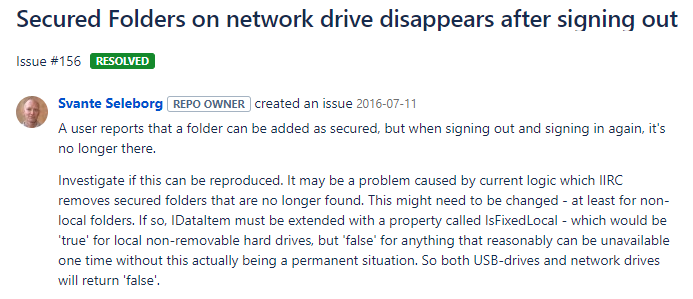
In fact, the secured folder disappears from the secured folder tab in the application and i have to reselect it to encrypt again files.

I don't have this behaviour from a local disk.

Carl Guest
Report spam

This sounds like a bug.

There was a similar issue recently.

This'll be picked up by the developers to fix; thanks for the report.

AxCrypt Support AxCrypt Team
· 1,810 posts
Report spam

Hello Antoine,

Thank you for reporting this.

Please contact support for this. It sounds very strange, the bug referred to by Carl is slightly different, but it may indeed be related.

Anonymous Guest
Report spam

I just reset my password, and every time I try to open my file I get this, you already sing in with this password, and i can not open my file,

AxCrypt Support AxCrypt Team
· 1,810 posts
Report spam

Hello Anonymous,

If you do not remember the password to your account, you can always reset it. This is not a way to recover encrypted files! It's only to allow you to sign in to the AxCrypt app and web. The new password will be used to encrypt new files.

The message you are seeing is telling you that you are signed in with a password that does not work to open the file in question, and in response to the password prompt you're then getting - you're entering the same password again.

When you are signed in, we try to use that password to open the file. If that does not work, we'll ask you for the file password. In this situation it won't help to try the same password again. We already did that. That's what the error message is saying.

Unfortunately, if you do not know the password for an AxCrypt-encrypted file you cannot open it, even if you can sign in to the account. This is by design, it's just this situation that AxCrypt is made for and it works like this even if you actually are the original owner of the file.

You need to remember or find out the password used to encrypt the file in question.

Reply to this topic

Posting as a guest. Log in or sign up to get reply notifications and edit your posts.

Tip: describe your AxCrypt version, operating system and the exact error message. Never post your password or license key.