Secure file encryption since 2001
Help & support

Android version not recognizing my password

5 replies 2 participants Started Active

Actions

Reply
Bridterry Guest
Report spam

I have been using Axcrypt for a few years now. When the enhanced version with a password manager was launched I tried it but it did nothing that my existing password manager was not already doing. However I really love the way the earlier version works in Windows; I am now in Windows 10. A right click and Axcrypt is there for me to use; great.
I decided I would like to have Axcrypt on my new Android smartphone. I downloaded and installed App and tried opening it by inputting my email address and then
1. The password I use to encrypt files on my laptop
2. The password to login to my axantum.com account.

Neither works both returning wrong password message

I tried setting up new account on smartphone using my email address but it recognised the account and took me to previous login page.

Any ideas what is happening?

5 replies
AxCrypt Support AxCrypt Team
· 1,810 posts
Report spam

Hello Bridterry,

Please verify that you can sign in to www.axcrypt.net with the email / password, then use the same on your Android device. axantum.com is retired as far as logging in is concerned, and is no longer directly associated with AxCrypt.

Also, something is wrong if you're using two different passwords. AxCrypt 2 and the Android app and the sign in to www.axcrypt.net all use the same password.

Bridterry Guest Topic starter
Report spam

Axcrypt accountSvante

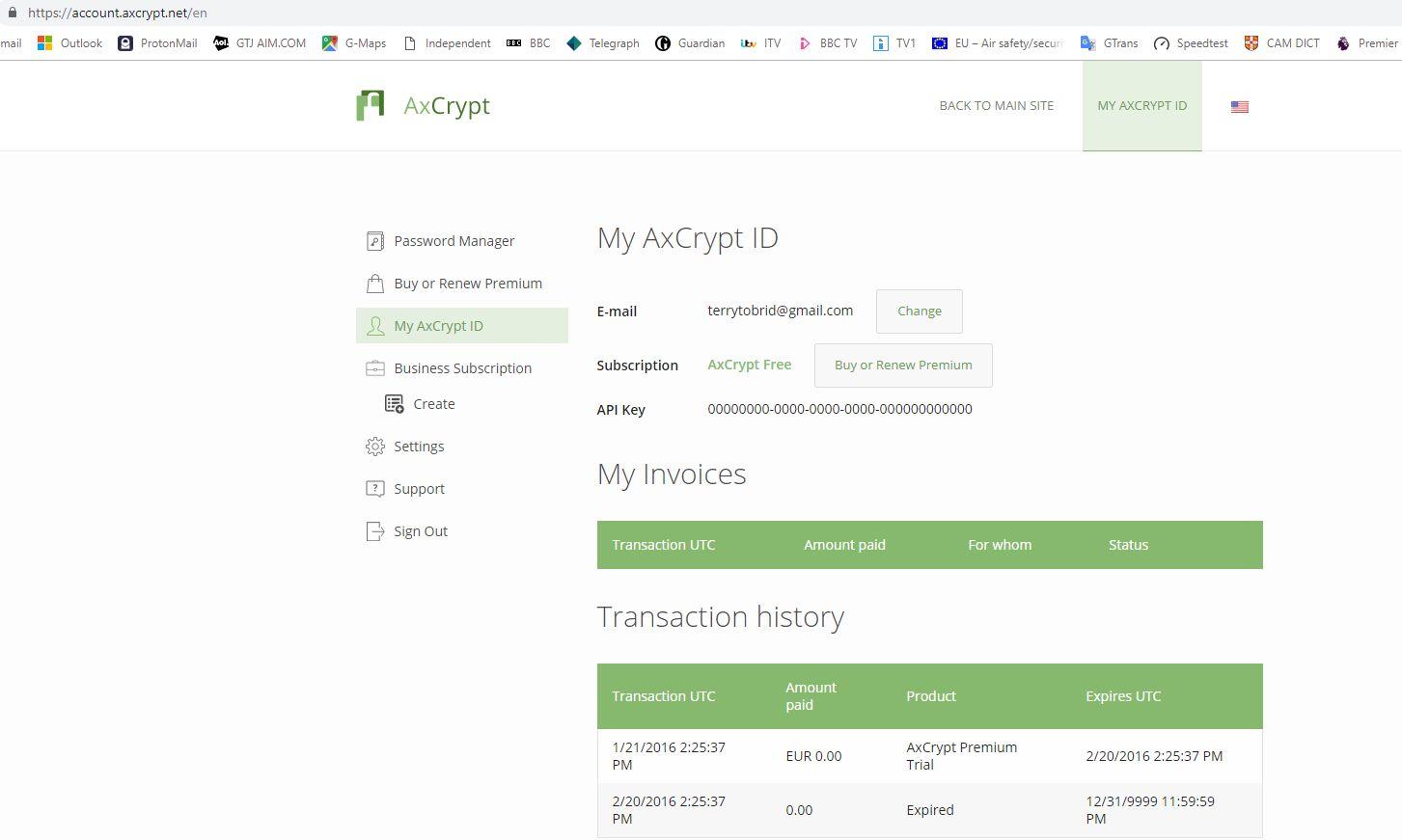
thank you for quick response. When I clicked your link it took me to http://forum.axcrypt.net/ (I think you may have missed the s). I then clicked login and used my email account and my password for axantum.com. That opened up page https://account.axcrypt.net/en with details of my account; see attachment.

I then went to android app entered  email and carefully entered the same password used for axantum.com on the laptop. Result as before password error message.

A clarification regarding 2 passwords. I have saved a separate password to use each time I encrypt / decrypt a file using Axcrypt; i.e. 1 to login to account and 1 to encrypt files.

Regards

AxCrypt Support AxCrypt Team
· 1,810 posts
Report spam

Hello Bridterry,

Just what message are you getting from the app? Exactly...?

In fact, you only have a free account - and the android app is a paid feature :-( . But, it should so - not just not accept the password!

Bridterry Guest Topic starter
Report spam

Thanks for further follow up. The message is

Error

Wrong Password. Please try again

OK

As I cannot use the App I shall delete it. Hope the above helps you tracking what may be a big. As I said a great product but I already have password manager.

Regards


Reply to this topic

Posting as a guest. Log in or sign up to get reply notifications and edit your posts.

Tip: describe your AxCrypt version, operating system and the exact error message. Never post your password or license key.